

Description
Download 10 Minute Workout at Home – Fitness, Home Workout, Weight Loss, Calorie Counter, Meditation, Pedometer
Overview
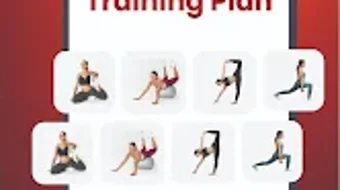
10-Minute Workout at Home is a desktop application designed to support users in maintaining fitness and managing weight through short, structured exercise routines. The software aims to solve the common challenges of time constraints and lack of access to gym facilities by delivering effective workouts that require only ten minutes per session. It is tailored for individuals seeking a convenient, equipment-free method to stay physically active and improve overall health. The app is suitable for users across fitness levels, from beginners to more experienced individuals looking for quick, efficient routines.
It supports a range of wellness goals, including fat loss, muscle toning, stress reduction, and daily activity tracking. The software integrates multiple functionalities such as guided workouts, calorie tracking, and meditation sessions, offering a holistic approach to personal health management. While the developer did not provide additional background information, the application appears to be focused on accessibility and user engagement through daily routines and goal-based planning. Real-world usage scenarios include morning routines, midday breaks, or evening wind-down sessions, all designed to fit into a busy lifestyle without requiring dedicated time or space.
Key Features & Capabilities
- 10-Minute Daily Workouts – Designed for time-efficient fitness, each session targets major muscle groups and supports fat burning, enabling users to maintain consistency without long commitments.
- 30-Day Workout Routines – Includes structured plans aimed at achieving specific outcomes such as six-pack abs, improved strength, and enhanced endurance.
- Personalized Workout Plans – Adapts routines based on user preferences, fitness level, and goals, promoting tailored progress and motivation.
- Calorie Counter Integration – Tracks daily caloric intake to support weight loss and dietary awareness, helping users align nutrition with fitness efforts.
- Meditation and Mindfulness Sessions – Offers guided meditation features to reduce stress and support mental well-being as part of a balanced lifestyle.
- Pedometer Functionality – Monitors daily steps to encourage movement and physical activity throughout the day.
- Diet and Nutrition Plans – Provides complementary meal plans to support workout results and accelerate weight loss goals.
These features collectively support users in building sustainable habits. For example, a beginner may use the 30-day plan to establish routine, while someone focused on stress relief might integrate daily meditation sessions. The combination of exercise, nutrition, and mindfulness makes the app suitable for users pursuing holistic health improvements.
User Interface, Workflow & Performance
The user interface is structured to prioritize accessibility and simplicity, allowing users to navigate between workout plans, calorie tracking, meditation, and step monitoring with minimal effort. The workflow is designed to guide users through each session with clear visual cues and video demonstrations, enhancing understanding and adherence. Navigation appears to be intuitive, with a central dashboard displaying daily goals, progress, and scheduled routines.
Performance observations are based on general software behavior patterns. The application is expected to run smoothly on modern systems, though exact performance details were not specified. The developer did not provide additional information on CPU or RAM usage, nor on stability under prolonged use. Users can expect responsive interactions during workouts, with video playback and tracking features operating in real time. The interface remains functional during active sessions, supporting uninterrupted use.
Compatibility & System Requirements
10-Minute Workout at Home is available for desktop platforms, though the specific operating systems were not detailed. The software’s installation size is not specified, and the developer did not list exact system requirements. Compatibility information was partially provided, indicating support for standard desktop environments. The developer did not specify minimum hardware specifications such as processor speed, RAM, or storage space.
Users are advised to ensure their system meets general desktop software standards. For optimal performance, it is recommended to run the application on a machine with up-to-date drivers and sufficient processing power. The application may require access to the camera or microphone for certain features, though this was not confirmed.
Pros and Cons
Pros
- Time-efficient workouts lasting just 10 minutes per session
- Comprehensive features combining fitness, nutrition, and mental wellness
- Personalized routines based on user goals and preferences
- Accessible without gym equipment or special space
- Integrated tools for calorie tracking, step counting, and meditation
Cons
- Exact system requirements were not provided
- Performance and resource usage details are unspecified
- Limited information on offline functionality
- May require internet access for full feature availability
- No details on update frequency or version history
FAQ Section
Is 10-Minute Workout at Home available for desktop?
Yes, the software is designed for desktop use, though specific operating system compatibility was not fully detailed.
Can I use this app without an internet connection?
While the app may support limited offline use, the developer did not specify the extent of offline functionality.
Is the software secure and safe to use?
The app is designed with user privacy in mind, though no specific security protocols were disclosed.
How often are updates released?
Update frequency was not provided by the developer.
Does the software include a free version?
Yes, a free version is available with core features, while premium content may require in-app purchases.
Final Thoughts + CTA
10-Minute Workout at Home presents a practical, all-in-one solution for individuals seeking to improve fitness, manage weight, and support mental well-being—all within a compact time frame. Its integration of exercise, nutrition, and mindfulness makes it a strong contender for users who value convenience and holistic health. While detailed technical specifications are limited, the software’s design and feature set suggest a focus on user engagement and daily habit formation. It is particularly beneficial for busy professionals, home-based individuals, and fitness beginners who want to start strong without overwhelming commitments.
Despite the lack of specific system requirements and performance data, the app’s intuitive interface and comprehensive functionality stand out. For those seeking a secure, easy-to-use desktop tool to stay active and healthy, this software offers a compelling option. Download 10 Minute Workout at Home now to begin your journey toward a fitter, more balanced lifestyle.
Guides & Tutorials for 10 Minute Workout at Home
How to install 10 Minute Workout at Home
- Click the Preview / Download button above.
- Once redirected, accept the terms and click Install.
- Wait for the 10 Minute Workout at Home download to finish on your device.
How to use 10 Minute Workout at Home
This software is primarily used for its core features described above. Open the app after installation to explore its capabilities.
User Reviews for 10 Minute Workout at Home 0
No reviews found





